MCT · Digital signage
Screens that update themselves.
MCT, the Wirings Media Creation Toolkit, is digital signage software: design a screen once, plug in live data, and publish a link any screen can show.
- Viewers need no account
- Any screen with a browser
- One sign-on via Launchpad
How it works
Change the data. The screen keeps up.
Pick a condition. This is what a rule does, with nobody logged in.
When Time is before 11:00 show Breakfast menu
Breakfast
- Egg & cheese roll$6.50
- Oat milk latte$4.75
- Fruit cup$3.95
- 01
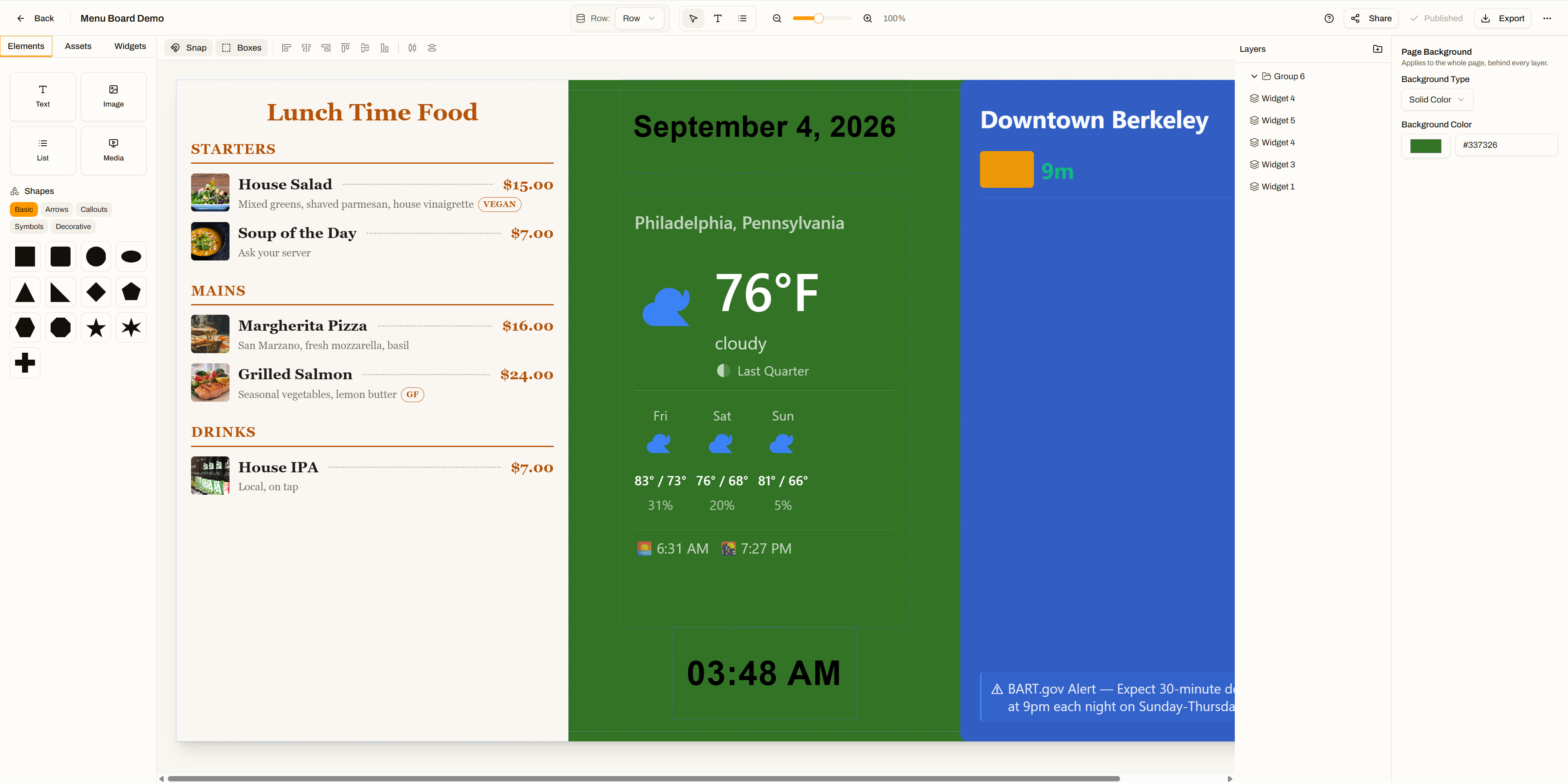
Design the canvas
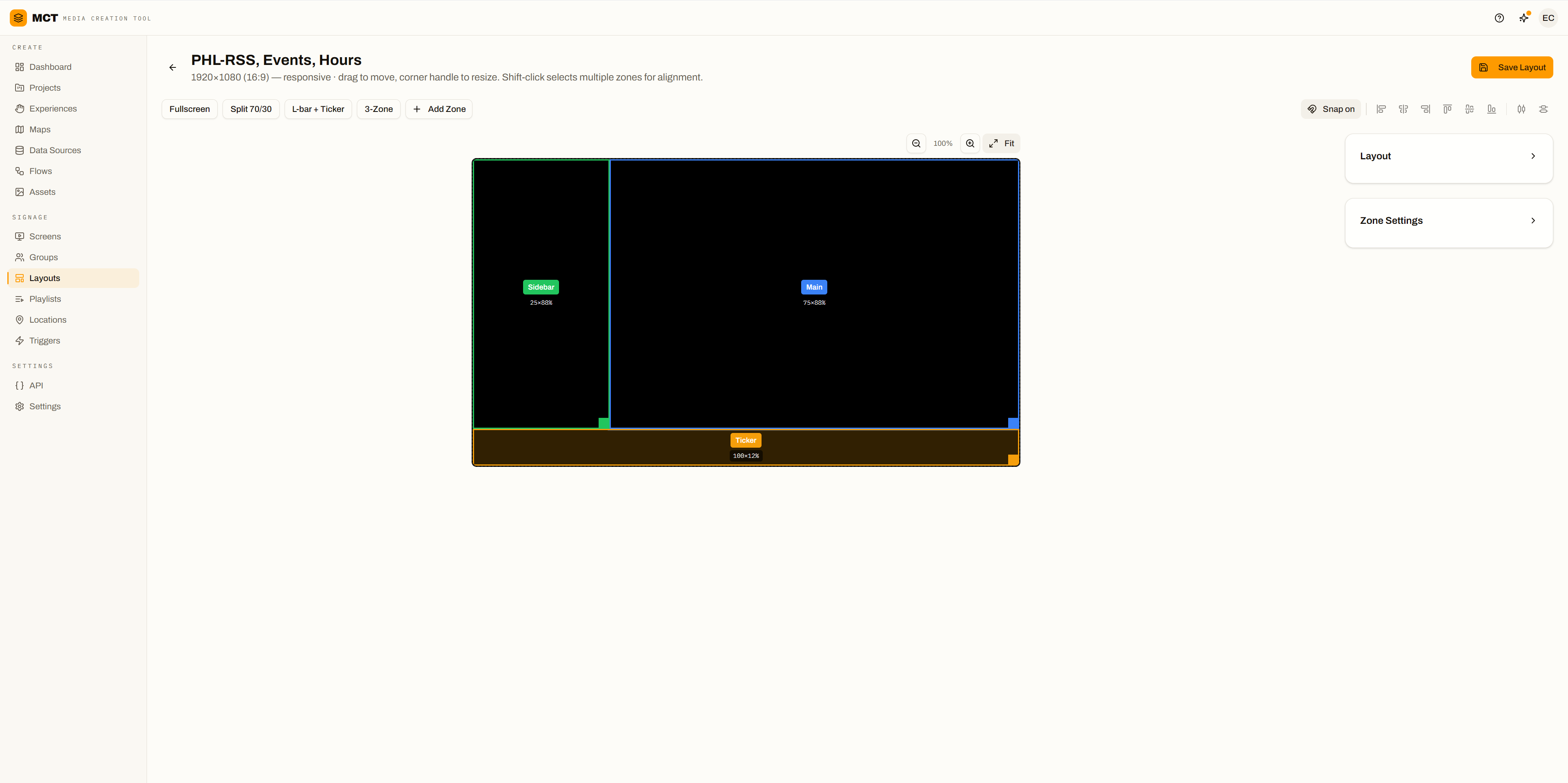
Layers, widgets, any aspect ratio.
- 02
Connect live data
Feeds, sheets, weather, transit.
- 03
Publish a URL
Point a screen at it. Walk away.
See it move
From raw media to the glass.
Wayfinding
Search. Tap. Follow the arrow.
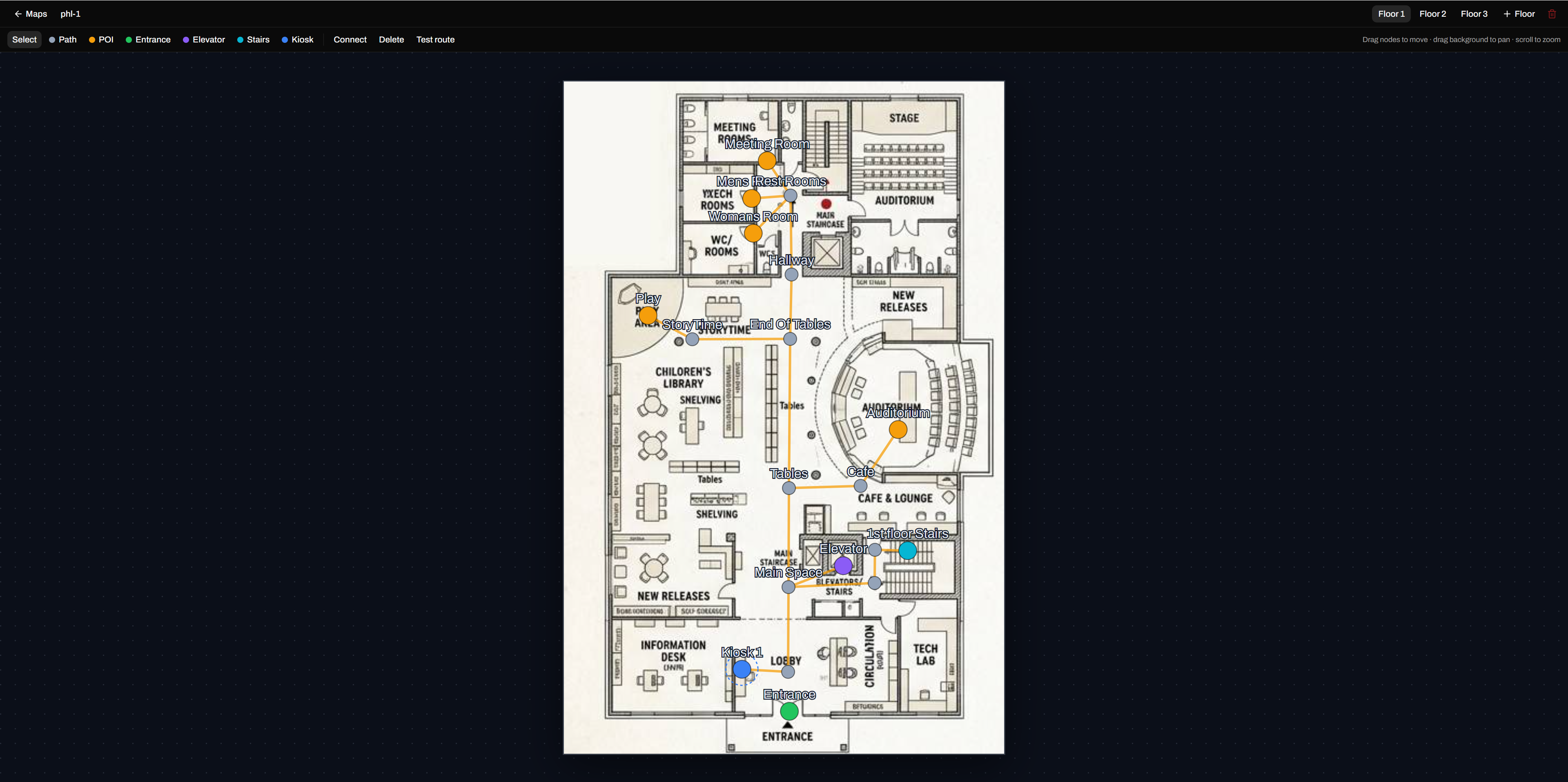
Upload a floor plan and AI drafts the rooms, corridors, and lifts. Create kiosk does the rest. Try one:
One style changes the map, directory and buttons together.
What else a kiosk does
Product tour
The real thing, not a mock-up.
Swipe or scroll sideways through the playlist.
Playlists & Proof of Play
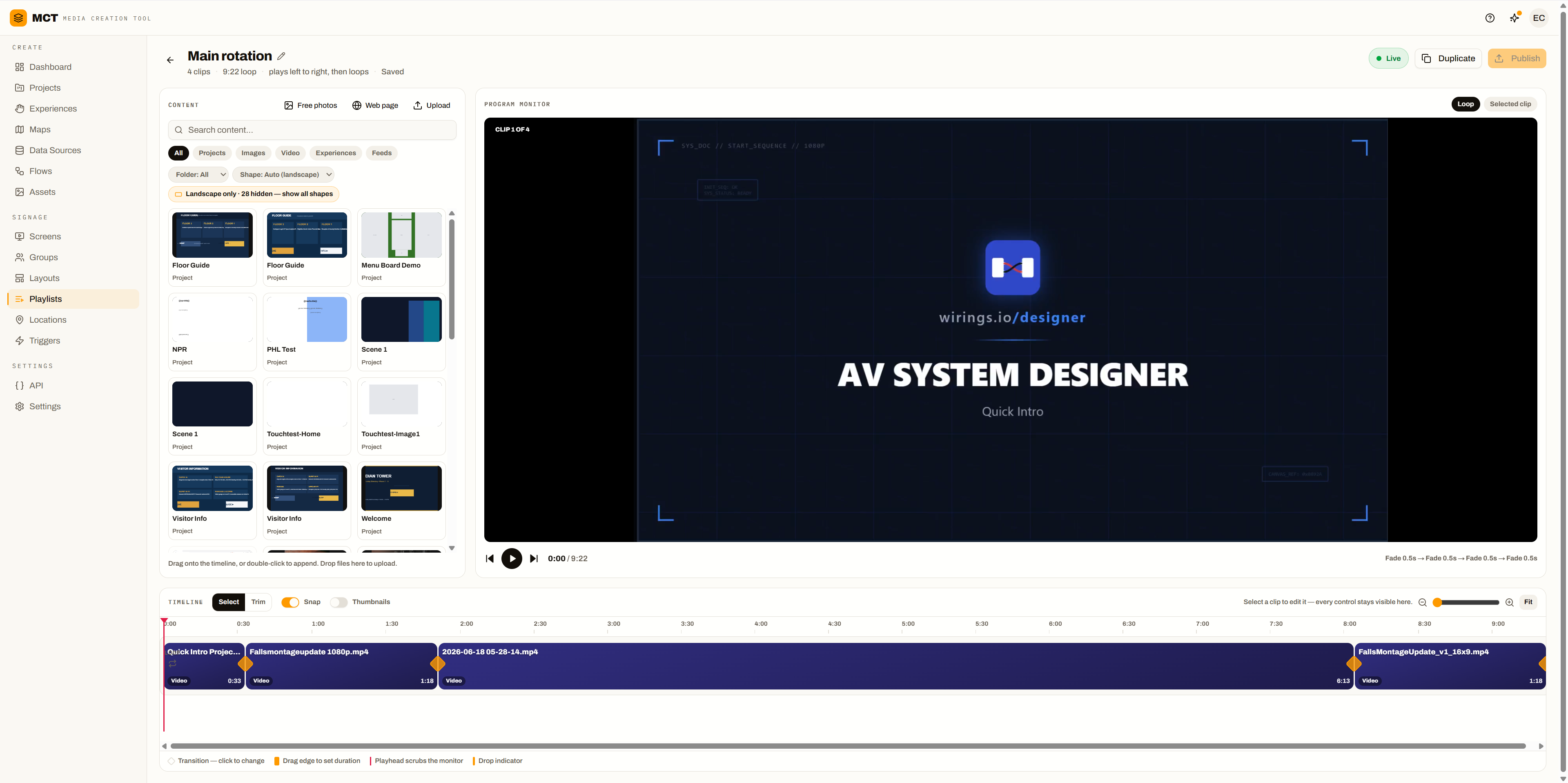
Every clip knows when to play. Every play is on the record.
Rules, shuffle, and playlists inside playlists, then a report of what actually ran.
- 0:20Breakfast menuWeekdays · 6–11 am
- 0:10Soup promo⚡ If weather is rain
- 1 clipPromosNested · next clip each turn
- 0:08Holiday hoursDec 20 – Jan 2
- 0:05GapBlank clip
- 1,28499.6%Soup promoLobby menu
- 3,410100%Breakfast menuLobby menu
- 2,90698.9%Spring saleWindow 2
- 2,87199.8%Spring saleConcourse 4K
Off until an admin turns it on. Players keep counting offline. Each play is kept 90 days; daily totals, a year.
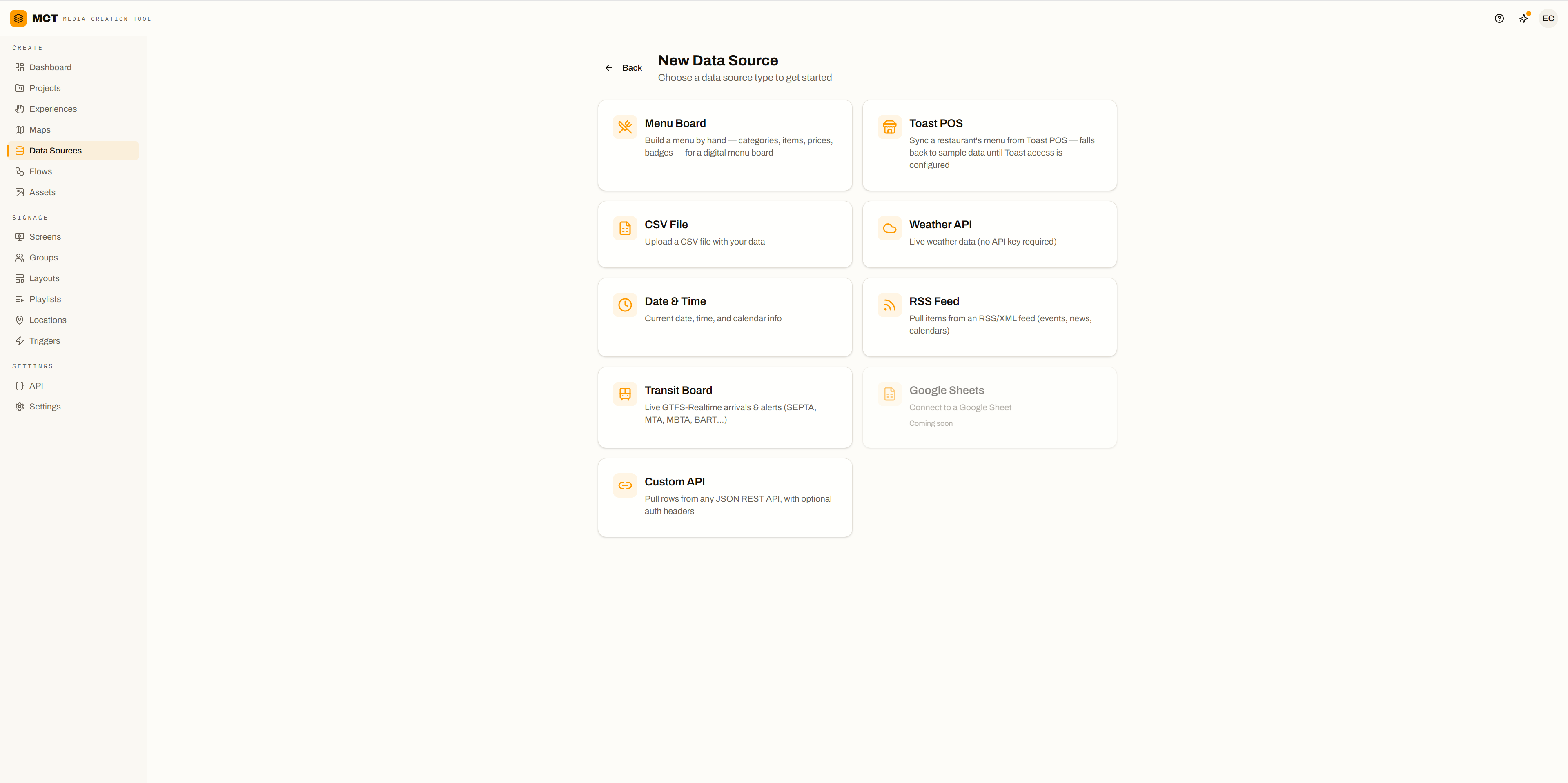
Data sources
When the source changes, the screen changes.
Which transit agencies?
- LiveRSS feedsAuto-slideshows
- LiveCSVTyped fields
- LiveWeatherNow + forecast
- LiveTransitGTFS-Realtime
- LiveDate & timeTimezone-aware
- LiveMenus & POSBuilt in MCT, or synced from Toast and PAR
- LiveCustom REST APIAny JSON, nested fields too, with auth
- Coming soonGoogle SheetsSpreadsheet rows
Capabilities
Everything a screen needs.
Editor
- Text, image, video
- Widgets
- Carousels
- 16:9 → 21:9 + custom
- Full HD to 4K
- {{source.field}} binding
Playlists
- Shuffle
- Clip rules by date, day, time
- Conditional clips
- Nested playlists
- Clips per turn
- HTML page clips
- Blank gaps
- Crossfades
Slideshows & tickers
- One slide per feed item
- Fade / slide transitions
- Synced carousels
- Carousels from a playlist
- Styled RSS tickers
Logic & Flows
- No-code rule builder
- Weather / time / delays
- Show, hide, swap
- Run history
- Live canvas diagnostics
- Webhooks with headers
Wayfinding
- AI floor plans
- Search-and-route directory
- Cross-floor routes
- Step-free routing
- QR to phone
- Five kiosk styles
- Idle screensaver
Screens
- Weekly schedules
- Unpublished-change warnings
- In-use content protected
- Proof of Play
- Uptime history
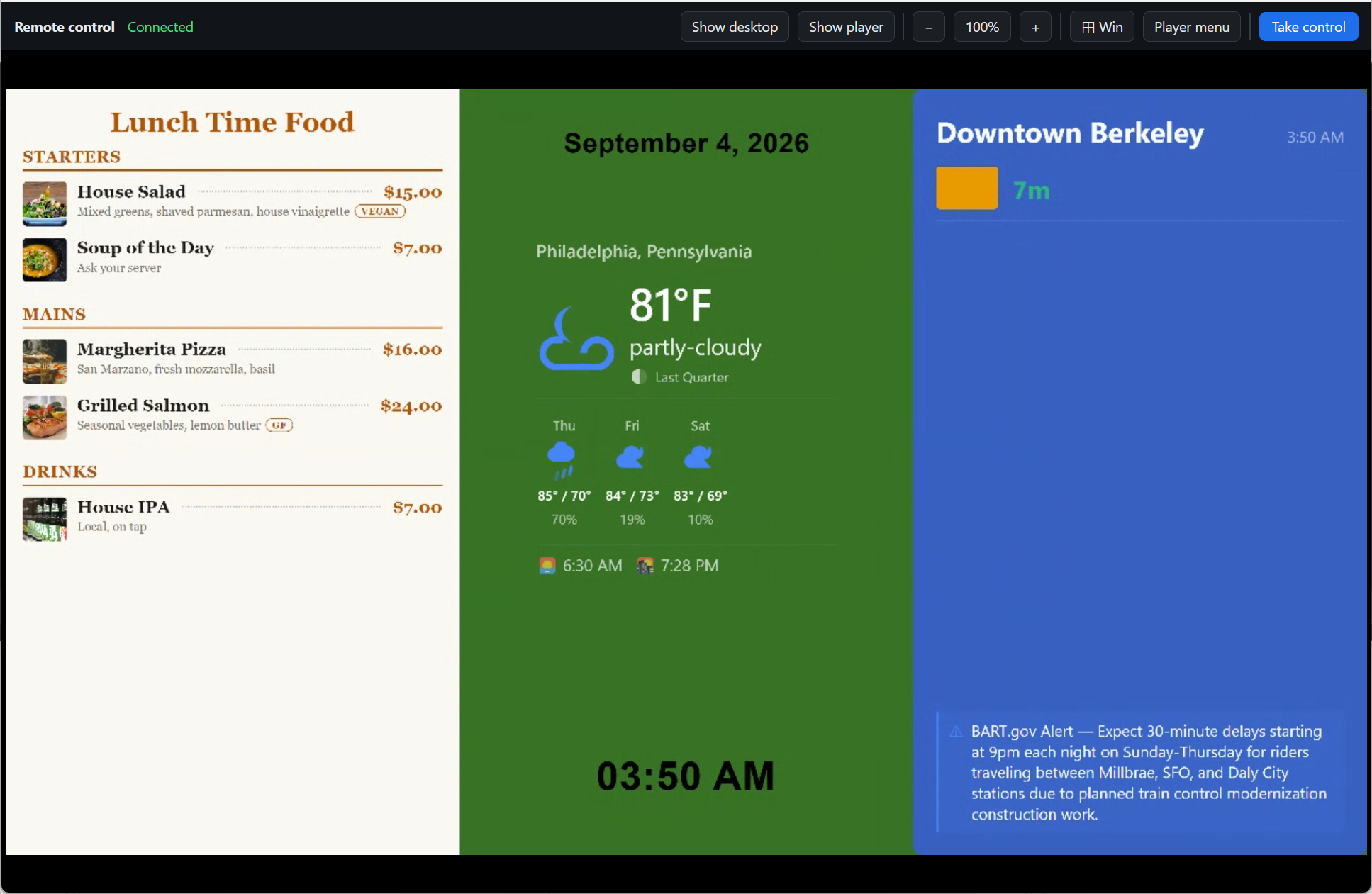
- Remote control
Publishing & teams
- Public URLs
- Image + ZIP export
- Org-scoped assets
- Roles via Launchpad
Use cases
Anywhere a screen should keep up.
Lobbies
Transit, weather, news.
Events & venues
An RSS feed becomes a slideshow.
Retail
Promos swap by time of day.
Menu boards
Breakfast flips to lunch at 11.
Transit hubs
Live arrivals and delays.
Campuses & venues
Search, tap, follow the arrow.
Platform
Boring infrastructure, on purpose.
Runs on
Any browser
A URL is a player. Nothing to install.
Windows
Native player. Updates wait for the maintenance window.
Android
Native player, in beta.
Wirings OS
Flash a USB stick. Up to four monitors, one licence.
Org isolation
A public URL exposes one project. That's it.
Single sign-on
Via Launchpad. MCT stores no passwords.
Managed refresh
Background jobs, with logs. No device agent.
FAQ
Questions about MCT
What is MCT?
MCT, the Wirings Media Creation Toolkit, is digital signage software: design a screen once, plug in live data, and publish a link any screen can show. When a feed, menu, or forecast changes, the screen changes with it, with nobody logged in.
What screens does MCT work with?
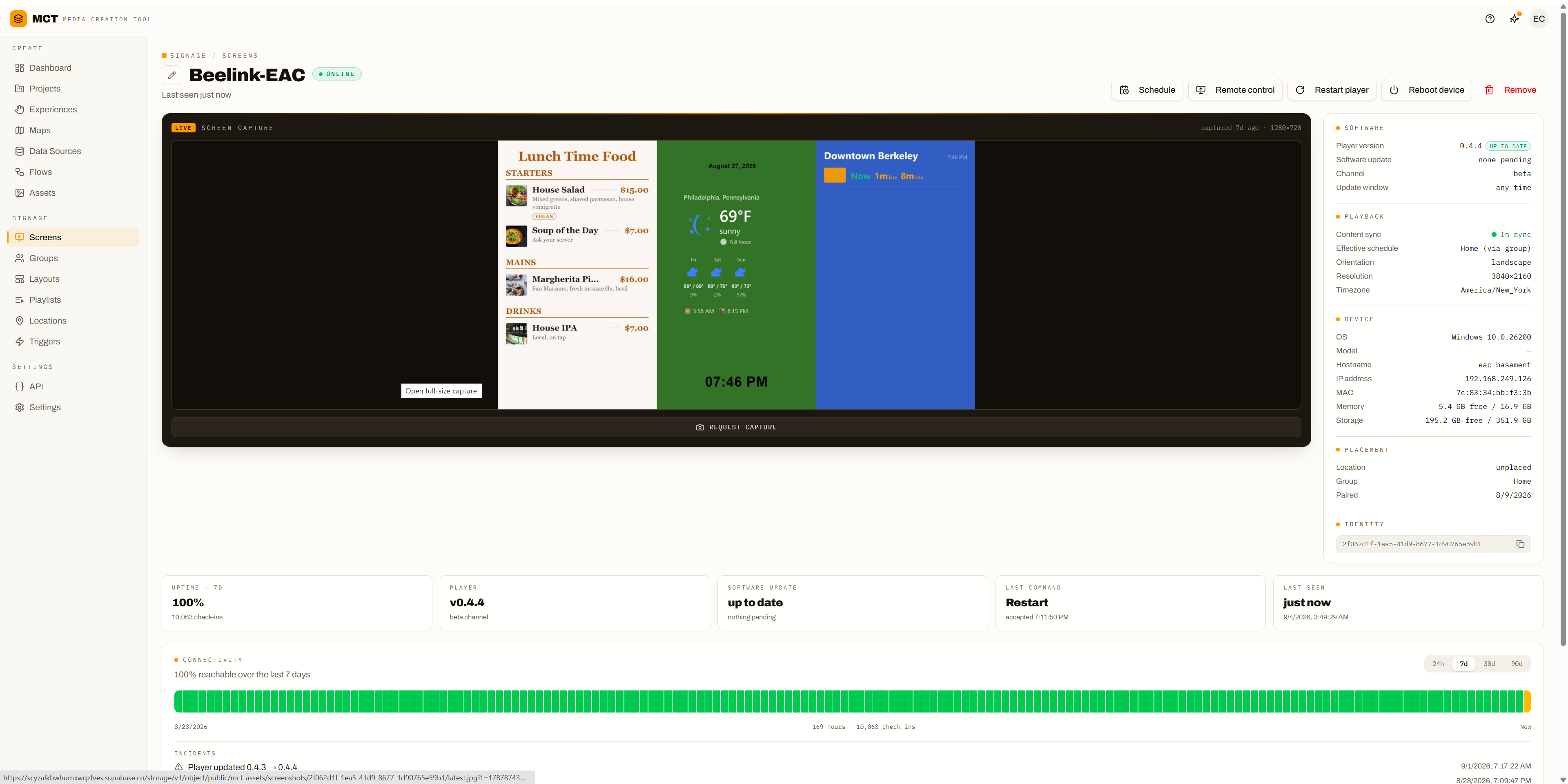
Any screen with a web browser, or a Wirings player on Windows, Android (in beta), or Wirings OS, a disk image you flash to a small PC. One Wirings OS box can drive up to four monitors on a single licence. Screen health shows uptime, live captures, and remote reboot for each player.
What live data can MCT show?
RSS feeds, CSV files, weather now and forecast, GTFS-Realtime transit arrivals, date and time, menu boards built in MCT or synced from Toast or PAR POS, and any JSON from a custom REST API, nested fields included, with authentication. Google Sheets is coming soon.
Can screens change content on their own?
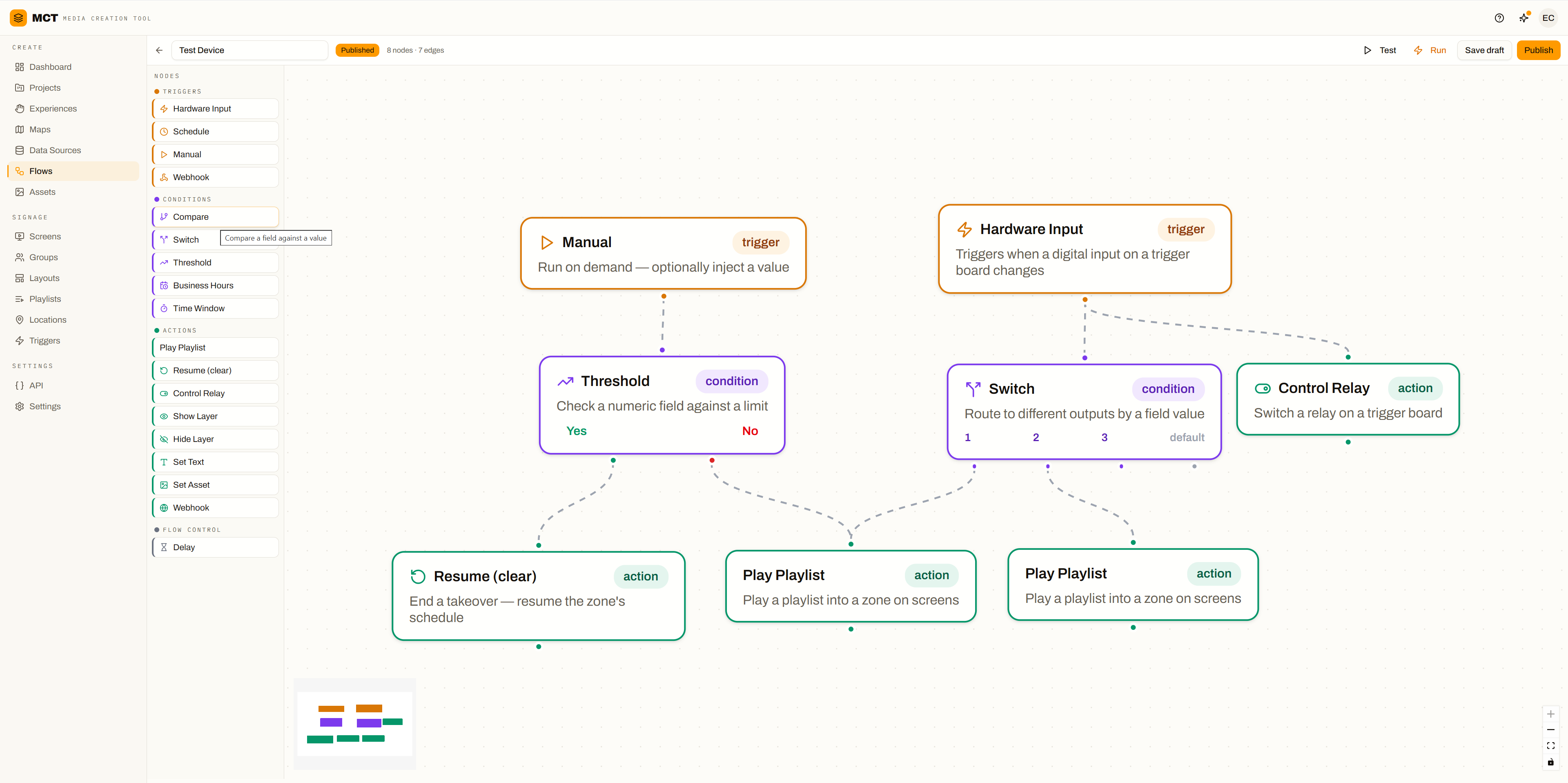
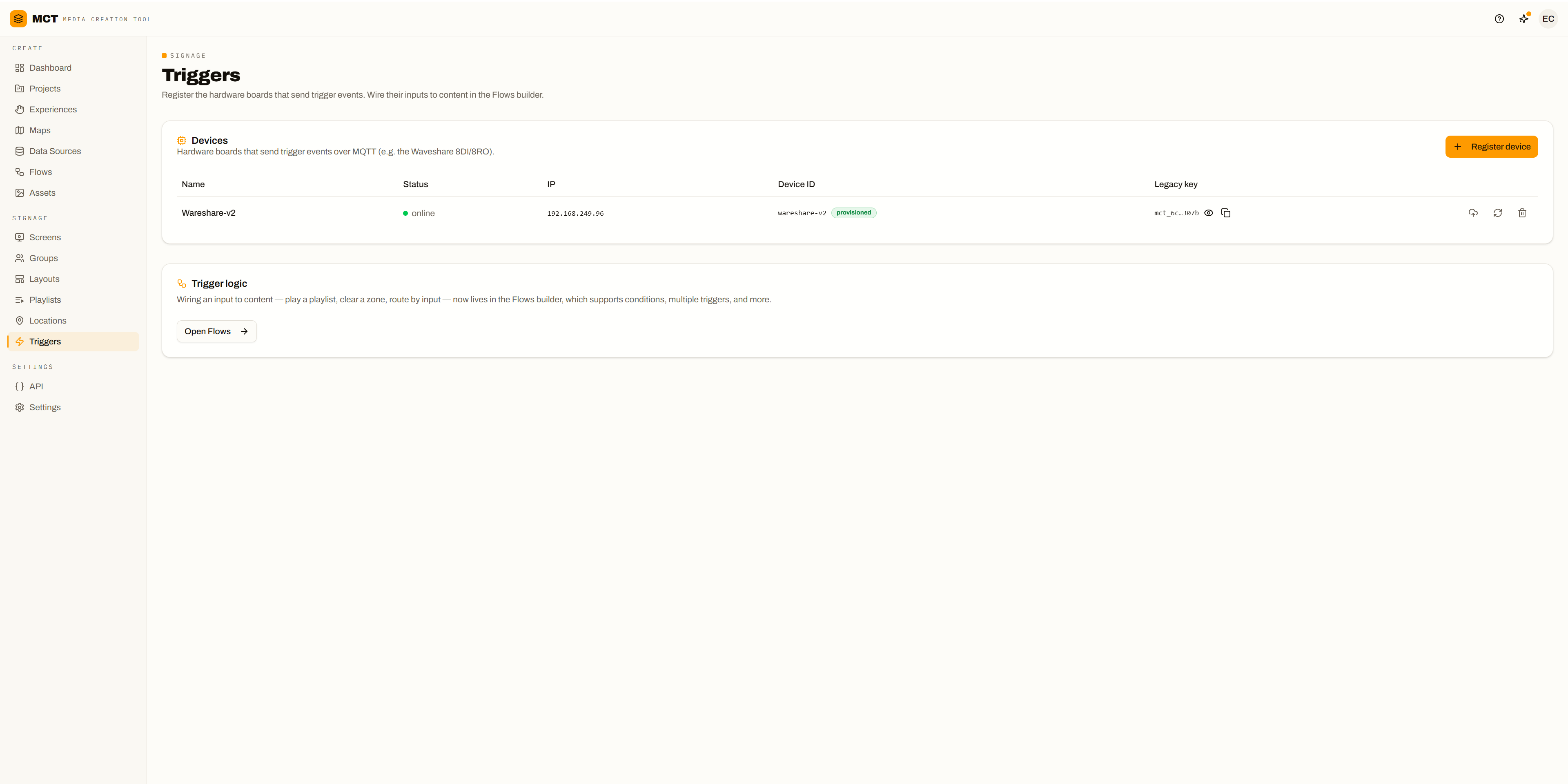
Yes. No-code rules show, hide, or swap content by weather, time of day, or transit delays, so breakfast flips to lunch at 11 and rain brings up the umbrella promo. Flows add hardware triggers, such as a button press taking over a zone.
Does MCT do touch screens and wayfinding?
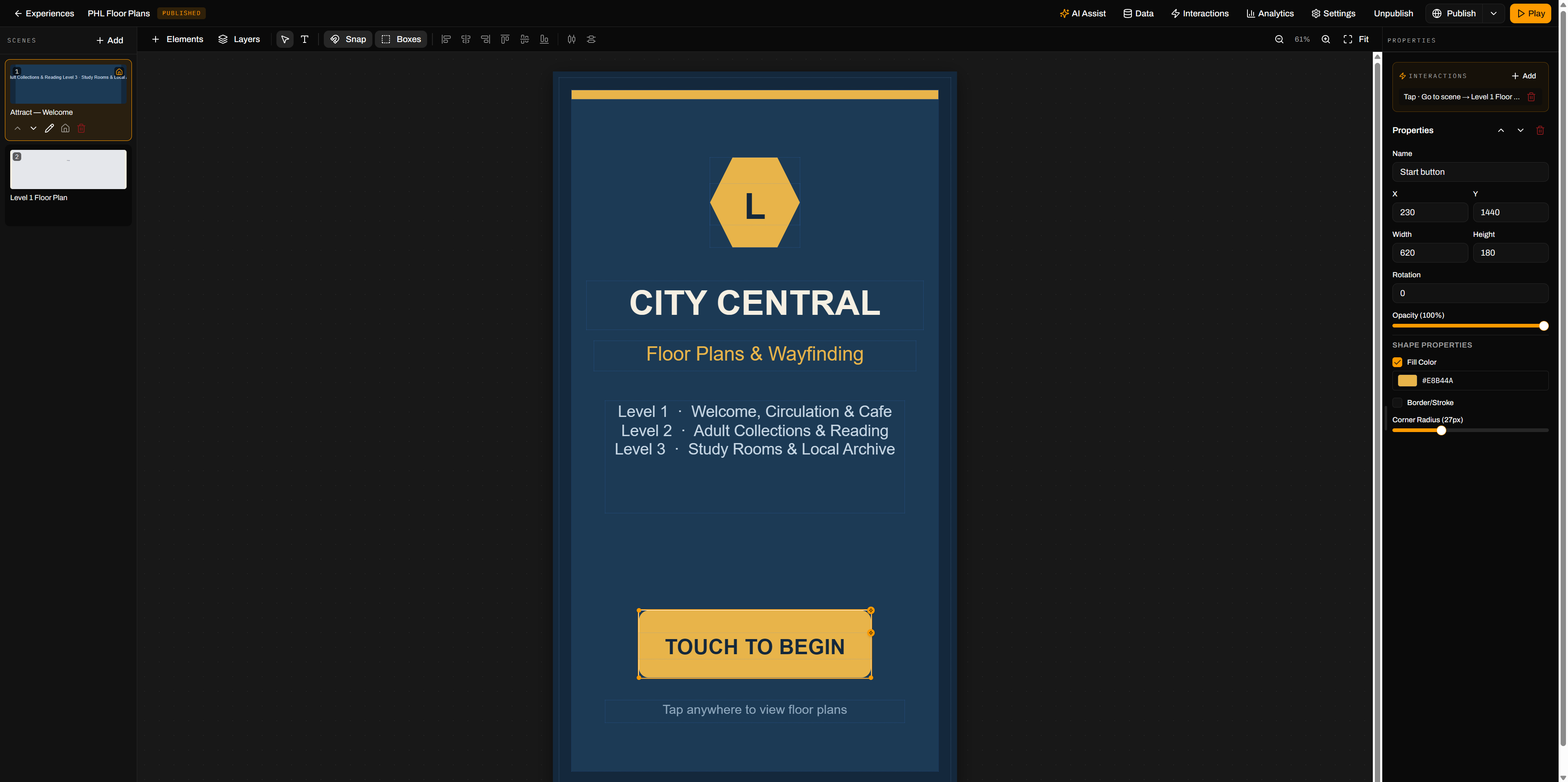
Yes. Upload a floor plan and AI suggests the rooms, corridors, stairs, and elevators; Create kiosk then builds a search-and-route directory. Visitors tap a place and follow an animated route, across floors and step-free if they need it, or scan a QR code to take it on their phone. Kiosks come in five styles and play a screensaver playlist when idle.
Can MCT prove an ad or clip actually played?
Yes, with Proof of Play, which a company admin turns on. Every clip each screen plays is recorded with its start, end, and whether it ran full length, even while the player is offline. Reports break it down by content, by screen, and by hour, with CSV export. Each play is kept for 90 days and daily totals for a year.
How much does MCT cost?
MCT pricing isn't published yet. Request access and Wirings sets up your organization, usually within one business day, or book a demo with your own data.
Bring a feed. Leave with a live screen.
Request access, or book a demo with your own data.